Comparing Raken and On-Site: The Real Differences
Step 1: Setting Up Your Account We recommend a 20–30 minute setup to get immediate value....
Cut Site Chaos: Turn Field Data Into Actionable Reports with Raken
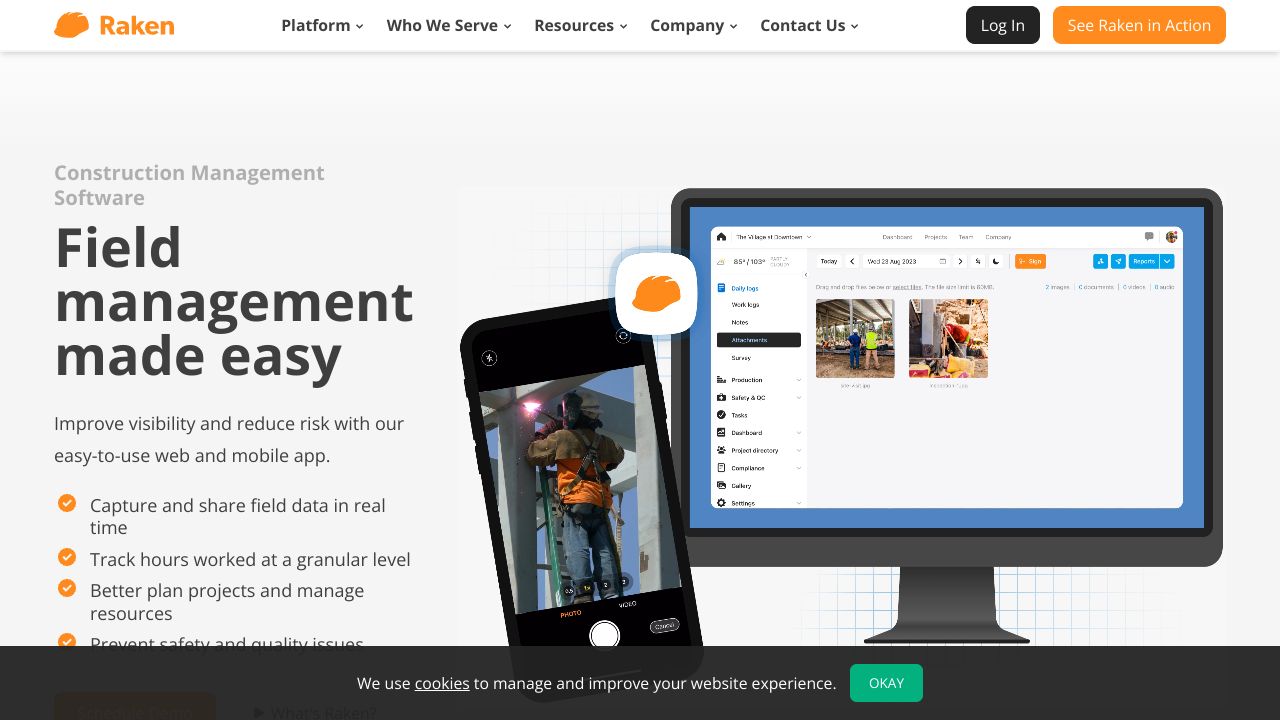
Teams waste an average of 5 hours per week on back-and-forth reporting and payroll reconciliation — time that eats margins and delays decisions. Raken is designed to collapse that friction by turning real-time field inputs into polished daily reports, time cards, and safety records. Compared to other field systems that focus on raw data capture, Raken emphasizes mobile-first simplicity and automated outputs so crews can get home faster without losing accuracy. In our testing and community discussions, we found it especially useful for teams who prioritize quick adoption and reliable daily reporting.
Step 1: Setting Up Your Account
We recommend a 20–30 minute setup to get immediate value.
- Create your company account and invite an admin or two (supervisors + office manager).
- Add projects: name, location, and expected crew size. Use consistent naming (e.g., ProjectCode_SiteName) so exports map cleanly to your PM systems.
- Configure crews and roles: assign foremen, subcontractors, and setup access levels. Keep field accounts simple — crews should be able to log reports with one or two taps.
- Enable time cards and safety modules if included in your plan (Professional/Performance). Start a free trial to confirm features before purchasing.
- Set up distribution rules: who receives daily reports and who gets auto-emailed safety incidents.
Our team found that standardizing project naming and crew roles up-front avoids messy reconciliations later.
Step 2: Core Features You Need to Know
We focus on the features that solve developer-tools-like pain: repeatability, data hygiene, and exportability.
- Daily Reports — Use templates to capture weather, manpower, equipment, narrative notes, and cost codes. Tip: create a short checklist for foremen to follow so entries are consistent.
- Time Cards & Tracking — Enable crew time tracking and photo-timed entries. Our team recommends requiring a daily punch-in/out and approval workflow to prevent time disputes.
- Photo Management — Tag and caption photos on upload; use folders per phase (demo, foundation, MEP). Photos become part of the automated PDF reports — invaluable for claims and QA.
- Safety Management & Toolbox Talks — Create recurring toolbox templates and require sign-offs. Raken centralizes checklists so compliance audits are painless.
- Task & Project Management — Assign tasks with due dates and attach images or safety docs. Track task completion in weekly stand-ups.
Each feature produces exports you can attach to payroll, invoicing, or compliance packets — helping bridge field data to office systems.
Step 3: Pro Tips for Developer Tools Professionals
We approached Raken like a lightweight data pipeline:
- Standardize metadata — enforce project codes, cost codes, and trade tags. This makes CSV exports predictable for scripting and ingestion.
- Use photo naming conventions and captions for OCR-friendly evidence. Your engineers can then use simple regex to parse filenames for automated indexing.
- Automate distribution — schedule daily reports to stakeholders and set up a dedicated inbox for incoming PDFs. This creates a machine‑readable archive for audits.
- Leverage crew-level approvals — require foreman approval before reports get sent. This reduces noise and improves data quality.
- Collect feedback from subs — our community roundup showed that subcontractor ease-of-use determines adoption; keep entry steps minimal.
These practices let developer teams treat Raken as a reliable source for downstream automation.
Common Mistakes to Avoid
- Over-configuring templates — too many fields = lower compliance. Start lean, iterate with foremen.
- Forgetting role training — mobile-first doesn’t mean intuitive for everyone; run a 15-minute crew training and a week of spot checks.
- Inconsistent naming — inconsistent project or cost codes break exports. Enforce a naming convention and document it in your onboarding cheat sheet.
How It Compares to Alternatives
While On-Site excels at capturing and managing raw project data from the field with robust record-keeping, Raken is better suited for teams that want a minimal learning curve and out-of-the-box daily reporting, time tracking, and safety workflows. Raken’s pricing tiers (Basic $15/mo per user, Professional $37/mo, Performance $46/mo) and mobile-first UX tend to favor general contractors and trades that need fast adoption. Conversely, organizations that prioritize complex custom data capture or deep integrations may prefer the flexibility of other platforms like On-Site.
Conclusion: Is Raken Right for You?
We recommend Raken if your priority is fast, consistent daily reporting, easily auditable safety records, and straightforward time tracking that crews will actually use. For developer-tools teams looking to automate reporting and feed clean field data into payroll or analytics pipelines, Raken’s simplicity and exportable outputs make it a practical choice. If your workflows require highly customized field data models, evaluate competitor strengths alongside Raken’s mobile-first ease before committing. Our team’s takeaway: start with a short pilot, standardize metadata, and use the free trial to validate that your crews adopt it.