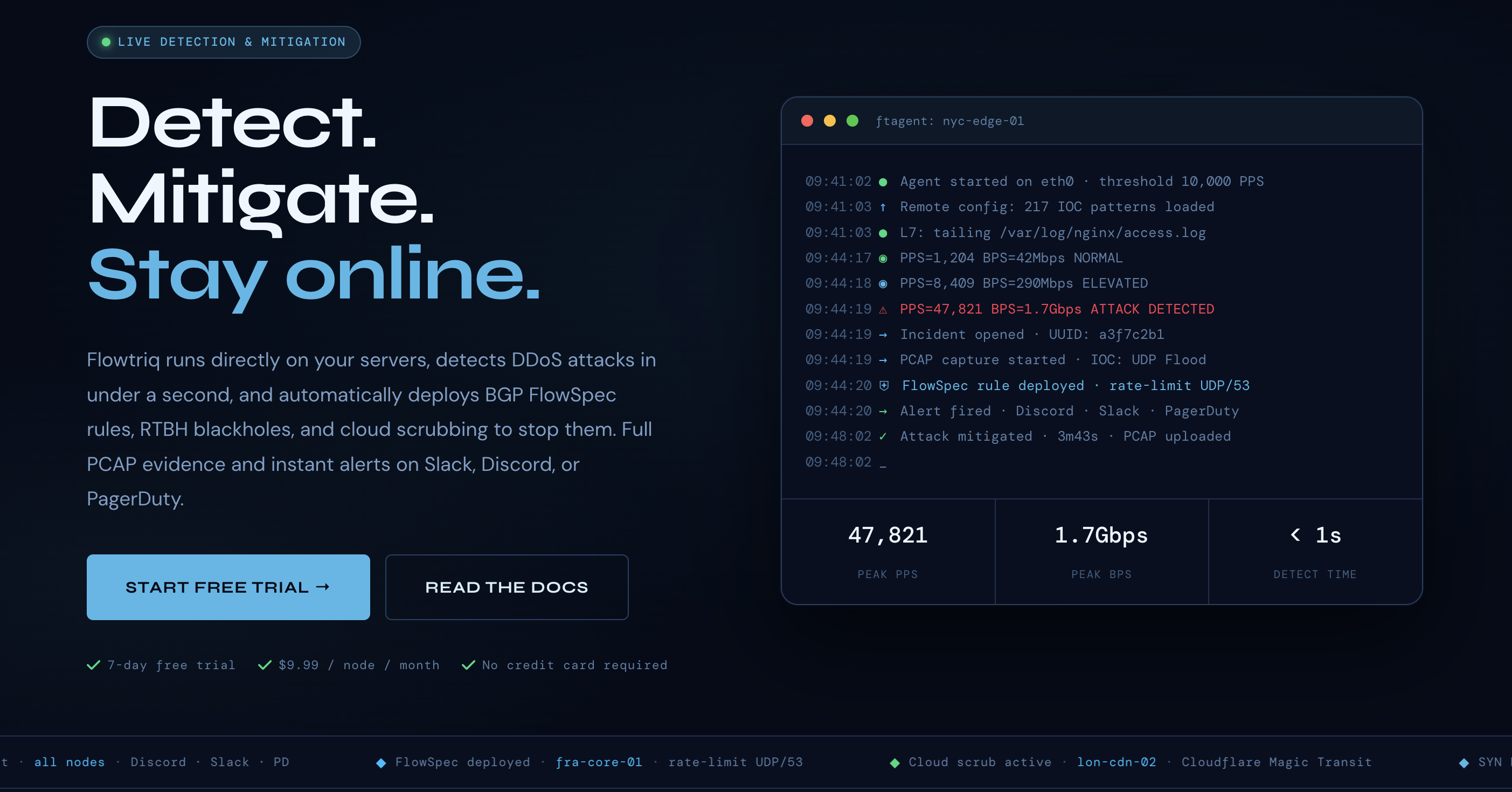
Stop Babysitting Thresholds: Automate Sub-Second DDoS Mitigation With Flowtriq
Step 1: Setting Up Your Account Sign up for the 7‑day free trial (no credit card). We recommend creating an org account and inviting teammates so escalat...
88% of outages start with unexpected traffic spikes — stop them in under 1 second
We’ve found that DDoS incidents move faster than ops rotations. Flowtriq promises sub-second detection and automatic mitigation — a tight fit for developer tools teams who need uptime without babysitting thresholds. Unlike appliance-only solutions or high-cost cloud-only mitigations, Flowtriq installs an ftagent on each Linux node, learns baselines dynamically, and auto-applies BGP FlowSpec / RTBH / cloud scrubbing based on your escalation policies. In this guide we’ll walk through setup, key features, pro tips from our team tests, and real-world comparisons so you can decide whether Flowtriq belongs in your stack.
Step 1: Setting Up Your Account
- Sign up for the 7‑day free trial (no credit card). We recommend creating an org account and inviting teammates so escalation policies and alerts are shared.
- From the dashboard, register a node name and grab the onboarding instructions. Flowtriq uses a lightweight Python agent (ftagent) that installs directly on Linux servers in under two minutes.
- Install ftagent on a representative Linux host (requires root so it can read packets from the NIC). The agent connects to the Flowtriq cloud dashboard and begins baseline learning immediately.
- Verify connectivity in the dashboard: the node should show online, baseline traffic stats, and an initial learning phase indicator. Let the agent observe normal traffic for a few minutes to build its dynamic baseline before you enable aggressive mitigations.
- Configure credentials for network mitigations: upload BGP/FlowSpec and RTBH access info if you plan to auto-deploy network-level rules. Connect any cloud scrubbing providers you use (Cloudflare Magic Transit, OVH VAC, Hetzner) via the provider integration panel.
Step 2: Core Features You Need to Know
We emphasize these features because they solve recurring problems we see in developer tool chains.
- Real-time detection & classification — The agent inspects packets at the NIC and classifies 8+ attack types (SYN, UDP, DNS amp, HTTP floods, memcached, Layer 7, multi-vector) per second. Use the dashboard attack timeline to confirm detection fidelity.
- Auto-mitigation playbooks — Chain mitigation steps (FlowSpec → RTBH → cloud scrub) into automated runbooks. Start with conservative steps for production and escalate automatically if attack metrics persist.
- PCAP forensic capture — Every detected attack auto-triggers full PCAP capture for post‑mortem analysis. Export PCAPs to your security team or use local tools to investigate packet-level behavior.
- IOC threat matching & attack profiles — Flowtriq correlates indicators against 642k+ IOCs (e.g., Mirai variants) so you get instant context. Enable IOC alerts to raise high-confidence incidents automatically.
- Multi-channel alerting & status pages — Integrate with Slack, Discord, PagerDuty, OpsGenie, SMS, email or webhooks. Use status pages to communicate downtime to customers while mitigations run.
Step 3: Pro Tips for Developer Tools Professionals
From our internal testing and community feedback:
- Let baseline learning finish before enforcing hard blocks. We framed tests with simulated traffic to avoid false positives.
- Use webhooks to pipe Flowtriq alerts into existing observability pipelines (Prometheus/Grafana or your incident manager) so runbooks trigger automatically.
- Add a “test mitigation” runbook that exercises BGP FlowSpec/RTBH in a controlled environment — validate routing and rollback before a real incident.
- For CI/CD: include a remediation checklist and change control in your release pipelines so mitigations aren’t confused with deploy-related traffic spikes.
- Use multi-node groups in the dashboard for rolling policies across clusters and to centralize audit logs for compliance.
Common Mistakes to Avoid
- Rushing past the learning phase — leads to false positives. Let ftagent learn normal PPS patterns.
- Single-mitigation reliance — don’t rely only on one mitigation method. Chain FlowSpec, RTBH and cloud scrubbing for layered defense.
- Skipping integration tests — failing to validate BGP credentials or scrubbing provider connections is a common deployment-time blocker.
- Forgetting incident communications — configure status pages and team alerts ahead of time so customers aren’t surprised.
How It Compares to Alternatives
We compared Flowtriq to bigger cloud options and edge tools:
- Cloudflare Magic Transit (used as a scrubbing provider) — Cloudflare provides massive global capacity; Flowtriq complements it by detecting and triaging attacks close to your nodes and orchestrating Cloudflare scrubbing as part of a runbook.
- AWS Shield / Arbor — These are heavyweight, platform-tied options. Flowtriq is lighter, node-centric, and more affordable for mixed-hosting or ISP environments.
- Host-level tools (fail2ban, iptables scripts) — Useful for low-sophistication threats, but they lack packet-level, sub-second classification, IOC correlation, and automated network mitigations.
Conclusion: Is Flowtriq Right for You?
We’ve found Flowtriq excels for hosting providers, game hosts, ISPs, MSPs, and SaaS teams that need fast, automated DDoS response without traffic surcharges. At $9.99/node/month (or $7.99 annual) with a 7‑day trial, it’s cost-effective for multi-node fleets. If you need sub-second detection, automated BGP/RTBH orchestration, and per-incident PCAPs without vendor lock-in, Flowtriq should be on your shortlist. Our team recommends a staged rollout: pilot on non-critical nodes, validate runbooks, then scale across clusters. We’ll be sharing community playbooks and our test runbooks in an upcoming issue — stay tuned to the API Wire for the follow-up.